phpClaw for WordPress
The WordPress adapter is a plugin. It adds a chat page and admin screens, two WP-CLI commands, two REST routes, 20 tools, and 10 more when WooCommerce is active.
Install
Section titled “Install”| Requirement | Version |
|---|---|
| PHP | 8.1 or later |
| WordPress | 6.2 or later, tested up to 7.0 |
| WooCommerce | optional, 7.0 or later, tested up to 9.0, compatible with High-Performance Order Storage |
Download phpClaw for WordPress (.zip)
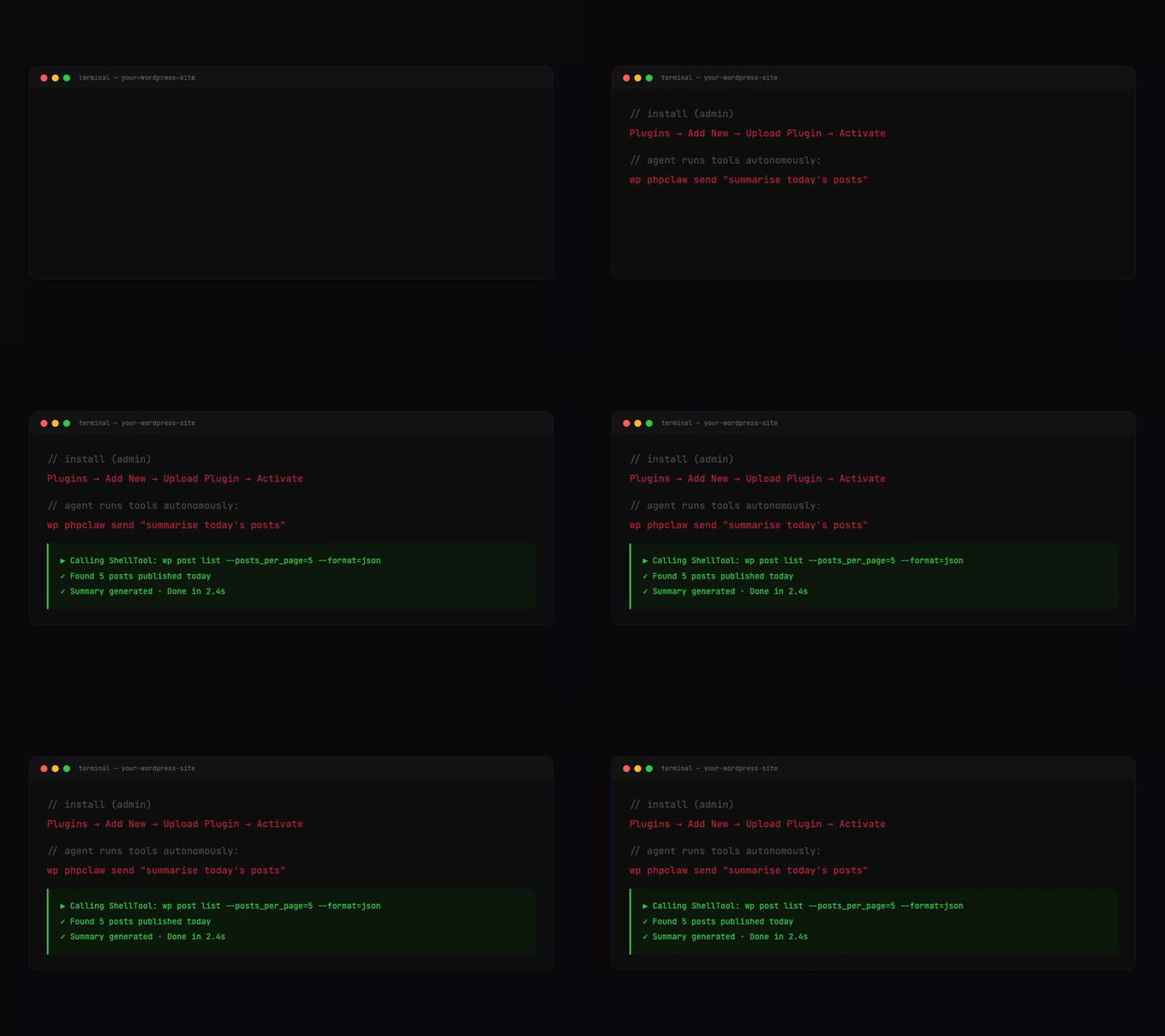
In wp-admin, go to Plugins → Add New → Upload Plugin, upload the ZIP and activate it. Then open phpClaw → Settings, choose a provider, enter the API key and save. Test Connection sends a short prompt to check the key.
Need a specific version? Browse all releases →
Activation creates three tables, {prefix}phpclaw_conversations, {prefix}phpclaw_messages and
{prefix}phpclaw_memory. The plugin also creates them on load if they are missing.
Settings
Section titled “Settings”phpClaw → Settings is for administrators only. Its fields are stored in the phpclaw_settings
option:
| Field | Notes |
|---|---|
| Provider | the provider to use |
| Model | empty uses the provider’s default |
| API Key | not needed for Ollama |
| Base URL | used with the Custom provider; must start with http:// or https:// |
| System Prompt | added to every request |
| Store Messages | on by default |
| Max Iterations | the agent loop limit, default 20 |
| Remote Skill URLs | HTTPS URLs of skill files, loaded when the agent is built |
| Cloud Key, Cloud Signing Secret, Disable Cloud Features | shown when phpClaw Cloud is installed and Store Messages is on |
See Providers for the providers and their default models.
Store Messages
Section titled “Store Messages”With Store Messages off, the agent stores no message content, so each chat starts with no memory of earlier turns. Cloud tracing and the cloud security scan also stop, and the cloud fields are hidden. Their saved values are kept. See Memory and Cloud.
Who can use what
Section titled “Who can use what”The plugin derives three capabilities at runtime through the user_has_cap filter. Nothing is
written to roles.
| Capability | Granted to | Allows |
|---|---|---|
phpclaw_use_chat | users with manage_options or edit_posts | the Chat, Analytics, Guide and About pages, both REST routes, and every WordPress and WooCommerce tool |
phpclaw_use_admin_chat | users with manage_options | the Settings page, Test Connection, the dashboard widget and the onboarding notice |
phpclaw_manage_all_conversations | users with manage_options | seeing every user’s conversations and site-wide analytics |
A tool call without the capability returns a FORBIDDEN error. Tools called from WP-CLI, including
the MCP server, skip the check.
What is registered
Section titled “What is registered”Without WooCommerce, 20 tools:
| Group | Tools |
|---|---|
| WordPress | wp_query, wp_users, wp_option, db_query, wp_plugins, wp_taxonomy, wp_comments, wp_media, wp_menus, wp_cron, read_log |
| Core | code_search, project_info, file_read, http_request, shell_exec, file_edit, file_write |
| Plugin builder | zip_package, wp_zip_plugin |
With WooCommerce active, 10 more: wc_get_orders, wc_get_products, wc_get_customer,
wc_stock, wc_report, wc_coupons, wc_categories, wc_reviews, wc_shipping and wc_tax.
| Tool | Does | Example question |
|---|---|---|
wp_query | searches and inspects posts, pages and custom post types | what have we published recently? |
wp_option | reads options | what is this site called? |
db_query | runs one read-only SELECT | what tables can you read? |
read_log | reads the WordPress debug log | what is in the error log right now? |
wp_cron | lists scheduled cron events | what scheduled tasks are set up on this site? |
wp_users | searches and inspects users | who are the newest people to sign up? |
wp_plugins | searches and inspects installed plugins | what plugins are installed? |
wp_menus | inspects navigation menus and their items | what navigation menus does this site have? |
wp_media | queries the media library | what is in the media library? |
wp_comments | queries comments | show me the latest comments |
wp_taxonomy | inspects categories, tags and custom taxonomy terms | what categories and tags do we use? |
wp_zip_plugin | validates a generated plugin and packages it as a ZIP | validate and package the plugin I just generated |
wc_get_orders | reads orders | show me the latest orders |
wc_get_products | reads products | show me the products we sell |
wc_get_customer | reads a customer’s order statistics | what has customer 1 bought from us? |
wc_report | sales report: revenue, order count, average order value, top products | how did sales go this month? |
wc_stock | checks stock levels | show me our current stock levels |
wc_coupons | reads coupons | list our discount coupons |
wc_categories | reads product categories | what product categories do we have? |
wc_reviews | reads product reviews | what are customers saying about our products? |
wc_shipping | reads shipping zones and methods | what shipping zones do we have? |
wc_tax | reads tax configuration and rates | what tax rates do we charge in the UK? |
The example questions come from each tool’s own examples. The WordPress and WooCommerce tools are
read-only except wp_zip_plugin.
The core file tools work inside wp-content/uploads/phpclaw, the workspace_root in
config/phpclaw.php. The shell tool uses core’s default allowlist. See Tools.
Fewer tools on small models
Section titled “Fewer tools on small models”With the ollama or groq provider, the agent is offered at most 5 tools per turn, or 8 when the
model id contains 30b, 32b, 34b, 35b, 65b, 70b or 72b. Every other provider gets core’s
per-model budget instead: 12 for a Sonnet model, 20 for Opus, 6 for Haiku, 15 for gpt-4o, 8 for
gpt-4o-mini, and 10 for a model the budget table does not name. With WooCommerce active there are 30
tools, so no provider is offered all of them in one turn. The ones most relevant to the message are
chosen. See Tools: the per-turn budget.
Approval and PHP files
Section titled “Approval and PHP files”Every agent is built with CliApprovalGate. On WP-CLI you are asked before a tool changes
something; in the chat page and the REST API there is nobody to ask, so the change is refused. See
Security: approval. The MCP server does not use the approval gate.
file_write may create .php, .phtml and .phar files only when the agent runs under WP-CLI.
Denying tools
Section titled “Denying tools”tool_deny in the plugin’s config/phpclaw.php removes tools by name or group. It has no Settings
field.
| Group | Tools |
|---|---|
group:content | wp_query, wp_taxonomy, wp_comments, wp_media |
group:admin | wp_users, wp_plugins, wp_option, wp_cron |
group:system | db_query, read_log, http_request, file_read, file_write, file_edit, code_search, project_info, shell_exec |
group:builder | zip_package, wp_zip_plugin |
group:nav | wp_menus, wp_taxonomy |
'tool_deny' => ['group:system'],Without WooCommerce, denying group:system leaves 11 tools. The same list applies to the chat, the
REST API and the MCP server.
What a tool returns
Section titled “What a tool returns”The WordPress and WooCommerce tools answer in one envelope:
{ "success": true, "data": { "coupons": [{ "id": 226, "code": "spring-sale" }] }, "meta": { "mode": "query", "total": 5, "count": 1, "has_more": true, "next_offset": 1 }, "warnings": []}On failure success is false, error holds a code and message, data is null and
meta.mode is "error".
21 of the tools accept {"schema": true}, which describes the fields, filters and examples the tool
accepts without reading rows. 17 also accept {"aggregate": true}, which returns counts and totals
only. Anything else returns rows. When meta.has_more is true, send meta.next_offset back as
offset for the next page. wp_query is the exception: it takes posts_per_page and paged, refuses
limit and offset, and returns pages, current_page and next_page, so send next_page back as
paged.
Warnings
Section titled “Warnings”warnings is advisory; the call succeeded. The codes are:
| Code | Meaning |
|---|---|
UNTRUSTED_CONTENT | the response contains text written by visitors or third parties |
SENSITIVE_DATA | personal data was returned because it was asked for by name |
IGNORED_ARGUMENT | an argument did not apply to the mode used |
SCAN_TRUNCATED | too many rows matched to scan them all |
RESULT_TRUNCATED | the rows were cut to the limit |
OUTPUT_TRUNCATED | the response was cut to the output limit |
RANGE_CLAMPED | the requested date range was shortened |
ANALYTICS_UNAVAILABLE | WooCommerce Analytics data was missing, so a slower method was used |
SETTINGS_OMITTED | settings outside the allowlist were withheld |
BLOCKED_OPTION | a matching option was skipped because its name is blocked |
VALUE_SCRUBBING_IS_PARTIAL | an option value was filtered by key name, which cannot catch every secret |
UNTRUSTED_CONTENT comes with meta.untrusted_fields_returned, naming the fields. Ten tools can
emit it. wp_query emits it only when a returned post’s author is not an administrator, and lists
those authors in meta.non_administrator_authors. The warning appears only when an untrusted field is
actually in the response: ask only for ids and ratings and it does not appear. A field can carry both
UNTRUSTED_CONTENT and SENSITIVE_DATA.
Some fields are never returned. Asking for one fails with BLOCKED_COLUMN (or BLOCKED_OPTION,
BLOCKED_STATEMENT, BLOCKED_IDENTIFIER) rather than returning nothing. They include password
hashes (user_pass), activation keys, session tokens, post passwords, and on orders transaction ids,
payment tokens, card data and order keys.
Database and options
Section titled “Database and options”db_query runs one read-only SELECT. It refuses the options, phpclaw_conversations and
phpclaw_messages tables under the site’s prefix: options are read through wp_option, and the
conversation tables would bypass conversation ownership.
wp_option withholds values by key name and strips credentials from URLs. A secret stored under a
key name it does not recognise is returned, which is what VALUE_SCRUBBING_IS_PARTIAL warns about.
Listing or searching options returns each option’s name, value type, size and autoload flag, without
the value, unless include_values is true; values are then scrubbed the same way.
Build a plugin from chat
Section titled “Build a plugin from chat”Ask the agent to create a plugin, and the WP Plugin Creator skill adds WordPress plugin rules to
the message when the message shares a word with its tags: plugin, create, build, generate,
shortcode, settings, admin, widget, slider, form, gallery, woocommerce or extension. The
agent writes the files with file_write, then calls wp_zip_plugin, which checks before packaging:
- the main file has a
Plugin Name:header - every PHP file has an
ABSPATHguard - no file calls
eval(,system(,exec(,passthru(orshell_exec( - every PHP file passes
php -l
A failed check names the file and the problem. A passing plugin is written as a ZIP to the server’s temp directory.
Every file write and the packaging step need approval, so this works from WP-CLI:
wp phpclaw send "Create a plugin called Simple Slider with a [simple_slider] shortcode, then package it."From the chat page the writes are refused.
Admin pages
Section titled “Admin pages”| Page | Who sees it | What it shows |
|---|---|---|
| Settings | phpclaw_use_admin_chat | the settings above and Test Connection |
| Chat | phpclaw_use_chat | the chat interface with the user’s conversations |
| Analytics | phpclaw_use_chat | conversation and message counts; site-wide for phpclaw_manage_all_conversations, otherwise the user’s own |
| Guide | phpclaw_use_chat | the registered tools and how to use them, and which Remote Skill URLs loaded |
| About | phpclaw_use_chat | plugin information |
Administrators also get a phpClaw dashboard widget with conversation and message counts, an onboarding notice while no provider is saved (until dismissed), and a phpClaw AI Engine test in Tools → Site Health that reports whether an API key is set and, once it is, the provider in use.
The chat page shows tool results as formatted cards, each with a Show raw JSON toggle. The plugin
ships a languages/phpclaw.pot translation template.
Conversations and ownership
Section titled “Conversations and ownership”Each conversation stores the WordPress user id of its creator, from get_current_user_id().
Conversations started from WP-CLI store 0, whatever --user is passed. A user sees only their own
conversations; opening another user’s returns 403. Users with phpclaw_manage_all_conversations
see all of them.
The agent always uses the wpdb_router memory driver: conversations in the two conversation tables,
everything else in {prefix}phpclaw_memory. The plugin also registers wpdb, wpdb_conversation,
wp_options, wp_transient and file for your own code.
| Driver | Class | Stores in |
|---|---|---|
wpdb_router | WpRouterMemory | routes conversations to WpDbConversationMemory, everything else to WpDbMemory |
wpdb | WpDbMemory | {prefix}phpclaw_memory |
wpdb_conversation | WpDbConversationMemory | the conversation and message tables |
wp_options | WpOptionsMemory | options named with a _phpclaw_ prefix |
wp_transient | WpTransientMemory | transients |
file | FileRouterMemory | files under wp-content/phpclaw-storage |
The database, options and transient drivers fire the memory.read, memory.write and
memory.forget hooks.
WP-CLI
Section titled “WP-CLI”Two commands:
wp phpclaw send "summarise today's posts"wp phpclaw send "draft a post about our new product" --streamwp phpclaw send "which plugins need updates?" --provider=groq
wp phpclaw mcp-server
send takes --provider, --model and --stream. mcp-server serves the registered tools over
stdio. See MCP.
REST API
Section titled “REST API”| Method | Route | Returns |
|---|---|---|
| POST | /wp-json/phpclaw/send | the reply as JSON |
| POST | /wp-json/phpclaw/chat/stream | Server-Sent Events |
Both need phpclaw_use_chat and a normal WordPress REST authentication, such as a cookie with an
X-WP-Nonce header or an application password. For JavaScript on your own pages, pass a nonce:
wp_localize_script('my-script', 'phpClawConfig', [ 'nonce' => wp_create_nonce('wp_rest'), 'apiUrl' => rest_url('phpclaw/send'),]);curl -X POST "https://example.com/wp-json/phpclaw/send" \ -u "editor:application-password" \ -H "Content-Type: application/json" \ -d '{"message":"what have we published this week?"}'| Field | Rule |
|---|---|
message | required, at most 40,000 characters |
conversation_id | optional, 26 uppercase letters and digits |
send returns text, provider, model, tokens, iterations and conversation_id. Its error
statuses:
| Status | When |
|---|---|
| 400 | the message is empty or too long, or conversation_id is malformed |
| 403 | the caller lacks the capability, or the conversation belongs to another user |
| 422 | a guard blocked the message |
| 500 | anything else failed |
| 503 | the agent could not be built, for example with no provider configured |
chat/stream sends tool_before, tool_after, chunk, done and error events.
The phpclaw_rest_capability filter changes the capability both routes require. read, exist,
level_0 or an empty value are replaced by manage_options.
Extending
Section titled “Extending”| Filter | Adds |
|---|---|
phpclaw_extra_tools | tool class names; a class whose constructor needs arguments is skipped |
phpclaw_extra_guards | guard instances |
phpclaw_extra_hooks | ['event' => ..., 'handler' => ..., 'priority' => ...] entries |
phpclaw_extra_skills | skills |
phpclaw_extra_memory_drivers | slug => factory pairs |
phpclaw_extra_providers | slug => ['class' => ...] pairs |
add_filter('phpclaw_extra_tools', function (array $tools): array { $tools[] = \MyPlugin\Tools\InventoryTool::class; return $tools;});config/phpclaw.php in the plugin also takes guards, hooks and skills arrays, but that file is
replaced when the plugin is updated.
Events
Section titled “Events”While events_bridge in config/phpclaw.php is true (the default), every lifecycle event also fires
as a WordPress action named phpclaw_ followed by the event name, with the context array:
add_action('phpclaw_agent.after', function (array $ctx): void { error_log('phpClaw run used '.($ctx['input_tokens'] ?? 0).' input tokens');});The event names are listed on the Hooks page.
WordPress AI client
Section titled “WordPress AI client”On WordPress versions that provide wp_ai_client_prompt(), returning true from
phpclaw_enable_wp7_bridge also sends each WordPress AI client prompt to the phpClaw agent, which
makes its own provider call. A prompt a guard blocks fires phpclaw_wp7_prompt_blocked, and each
AI client result fires phpclaw_wp7_response. It is off by default.
Updates
Section titled “Updates”The plugin checks update_server in config/phpclaw.php, by default
https://phpclaw.ai/api/wp-update, for new versions, and accepts a package only from an approved
HTTPS host. To update by hand, upload the new ZIP through Plugins → Add New → Upload Plugin and
choose Replace current with uploaded. Replacing the plugin keeps the tables and settings.
To roll back, upload the older ZIP the same way. Do not delete the plugin first: deleting it runs
uninstall.php, which drops the tables.